
Put Quality Alerts in Front of the Operators Who Could Repeat the Defect
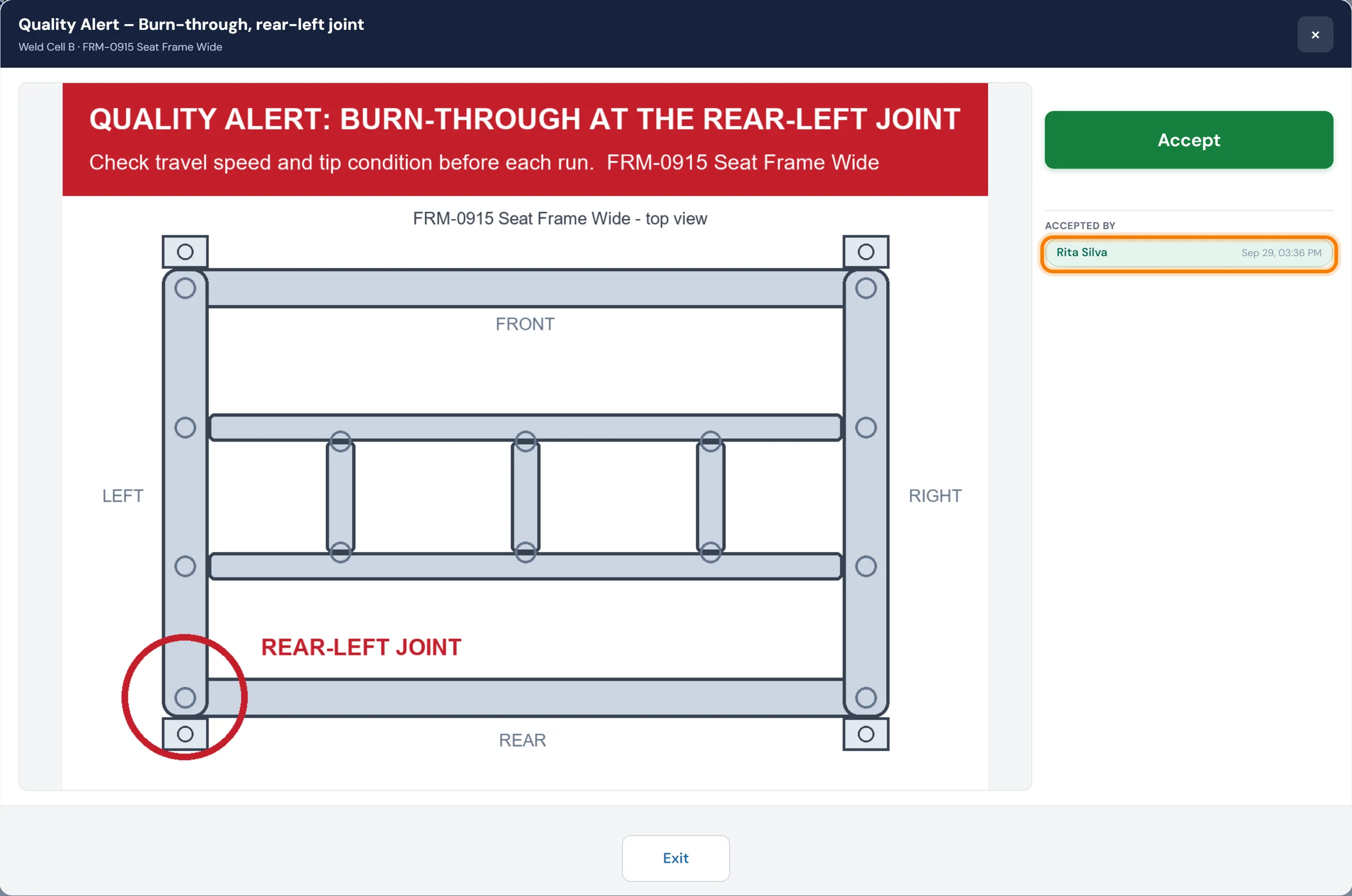
Push an alert for a known defect to the machines it affects. It stays on the operator screen through every shift change, and each operator confirms it before running parts.
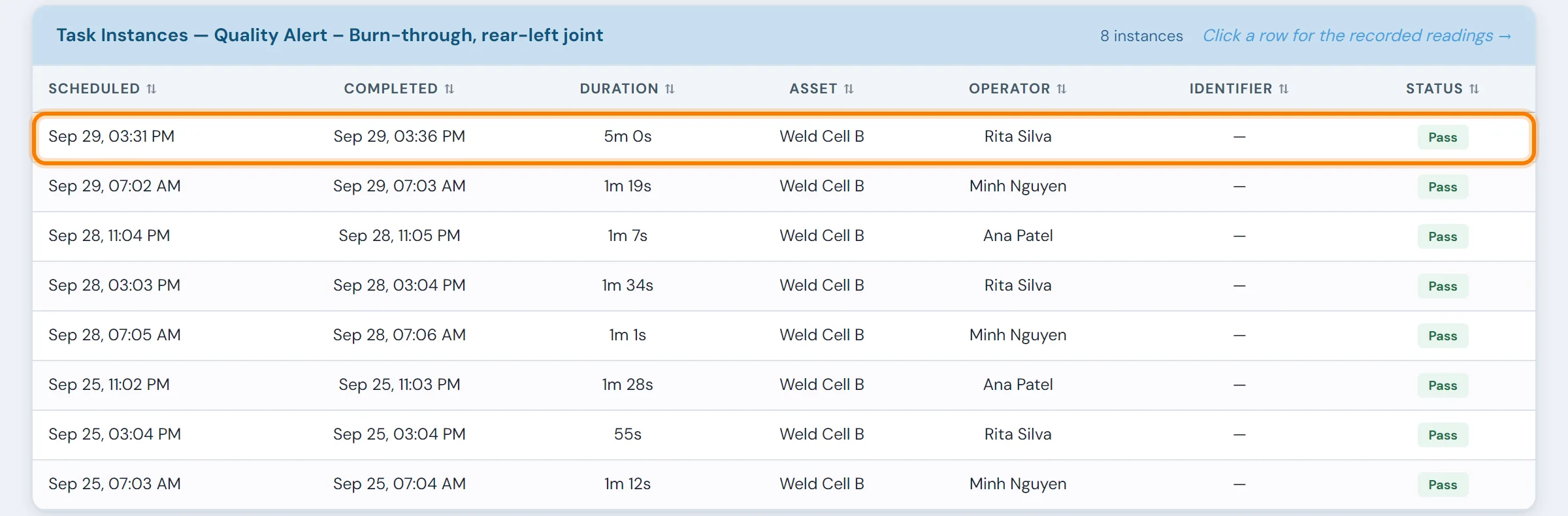
10in6 Quality Alerts logs every confirmation with the operator's name and the time.
Day shift finds the defect. Night shift runs the same part without hearing about it.
The warning usually travels by word of mouth: a supervisor's conversation at handover, a note, a notice taped to the machine, an email. Some of those reach the operator on the next shift and some don't, and afterwards nobody can say for certain who knew.
The message depends on one supervisor
If the supervisor at handover forgets, or the message gets shortened on the way, the next operator starts the run without knowing what went wrong on that line a few hours earlier.
Yesterday's defect comes back
An operator who wasn't told what to look for won't check for it, and a defect that should have been a one-time event turns into a recurring one.
Nobody can prove who was told
On paper there's no record of which operators were notified, when, or whether they saw it before production resumed. When an auditor asks how a corrective action reached the floor, the answer is verbal.
From the quality engineer's desk to the operator screen
Each alert is assigned to the machines or work centers it applies to. While it is active, it appears on the operator interface at each of those stations.
A quality engineer or supervisor can raise an alert by hand, or a rule can raise it automatically: a failed quality check, an SPC signal outside the control limits, a customer complaint notification. It stays active at those stations for every operator who starts or continues work there.
Attach a photo of the defect next to the instruction for the extra check, and the operator knows exactly what to look for on the next part.
What you can enforce and track
Machine-level alert targeting
Pick the machines, workstations or areas for each alert. Stations it doesn't apply to never show it.
Required acknowledgment before production
The alert opens when the operator signs in and holds them there, before they start the run, until they accept it with their badge and PIN.
Shift-to-shift consistency
An active alert stays up through shift changes, so nights and weekends see it as well as the shift that raised it.
Digital signature record
Each acknowledgment works as a signature: the operator's identity and the time, recorded ahead of their next run.
Escalation for unacknowledged alerts
If an alert sits unacknowledged past a set time, supervisors are notified by email or SMS.
Alert and acknowledgment history
Each alert keeps its history, from when it was raised through every acknowledgment to how it was resolved, for traceability and audit review.
- Warnings passed on at handover, on paper or by email
- The next operator may start without hearing about it
- Each shift ends up with its own version of the corrective action
- No record of who was told, or when
- The alert on screen at each affected machine
- Operator sign-off on every shift
- The same instruction on days, nights and weekends
- A timestamped sign-off log for audits and traceability
What raises an alert, and what follows it
Quality Alerts questions
- What should a quality alert include?
- The defect, with a photo and what good looks like; the affected product, parts or lots; the machines or areas it applies to; the action required, such as an extra check, a hold or a sort; who issued it; and when it will be reviewed or closed. Keep it short enough for an operator to take in at a glance.
- What triggers a quality alert?
- Alerts can be triggered manually by quality engineers or supervisors, or automatically based on rules you define — such as an SPC violation, a failed quality check, or a customer complaint notification.
- Can alerts be targeted to specific machines or work centers?
- Yes. Alerts can be displayed at specific machines, workstations or areas. You choose which locations see which alerts, so operators at unaffected stations are not distracted by issues that do not apply to them.
- What happens if an operator does not acknowledge the alert?
- Escalation rules can be configured so that unacknowledged alerts are automatically escalated to supervisors or sent by email and SMS after a defined time window, so an alert does not go unnoticed during a busy run.
- Is there a record of who acknowledged each alert and when?
- Yes. Every alert, acknowledgment and response is timestamped and tied to the operator who responded. The audit trail shows who was notified, when they saw the alert, and that they confirmed it before continuing production.
- Can instructions or images be attached to an alert?
- Yes. Alerts can include specific instructions, reference images or documents that show the operator what to look for and how to respond.
Set up around how your plant runs
Standardized platforms expect the plant to change to fit the software. Do-it-yourself platforms leave your team to build and maintain everything. With 10in6, we configure the system around your equipment, codes and reports, and your team runs it day to day.
Your equipment, codes and reports
Your checks, intervals and forms set up per line and product, and traceability built around your part numbers and your customers’ requirements.
Your team runs it day to day
Operators, downtime and scrap codes, products and targets, shift schedules, checks, alerts, emailed reports and real-time boards are managed by your own people. Everyday changes need no support ticket and no invoice.
A project manager for the bigger things
New machines, new modules and custom reports go through a 10in6 project manager who already knows your deployment, so nothing starts from scratch. If you would rather we made everyday changes too, we can.
Still here years later
The system keeps being refined after go-live, and new capabilities are added without rebuilding it. Some of our customer relationships have run for 12 years, and 97% of customers say they would never go back.
“Our 10in6 Project Manager has been very responsive and the software is flexible enough to be configured to our specific needs.”
How the 10in6 delivery model works →
Stop relying on word of mouth to communicate critical quality issues.
Tell us how quality issues reach the floor today. We'll show you how an alert would reach each affected machine on your lines, with the sign-off record behind it.