
Digitize Preventive Maintenance and Keep It On Schedule
Set up recurring maintenance checks on any interval, guide technicians through each task, and give management live visibility into completion and upcoming workload.
Lubrication rounds, belt tension, filter changes and quarterly inspections each run on their own interval, with a named technician and a due date.
A good PM plan still slips when the checks live on paper
The weekly belt-tension check on Line 3 is a sheet on a clipboard in the maintenance crib. When the technician spends Monday on a press repair, the check waits, and nothing says it's two days late until someone goes looking. The instructions depend on who wrote the sheet, and the schedule sits in a spreadsheet or a separate system that can't say which checks were done.
So the program runs on memory and habit. The same checks keep getting missed, and nobody sees where things stand until a machine breaks.
A PM check from setup to sign-off
Set up recurring PM checks
A planner sets up each check once: how often it runs, who it goes to by default, the steps in order, and the instructions and reference photos that go with them.
Guide technicians through the work
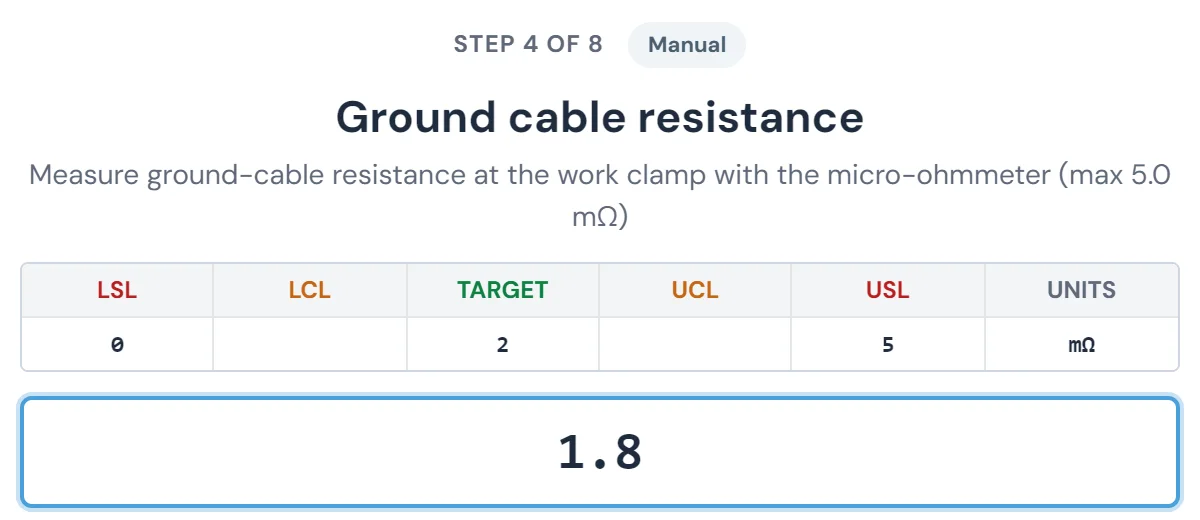
On the due date the check lands in that technician's queue. At the machine, they go step by step on a device, entering readings and pass/fail results as they go, and complete the record when they finish.
Track completion and workload in real time
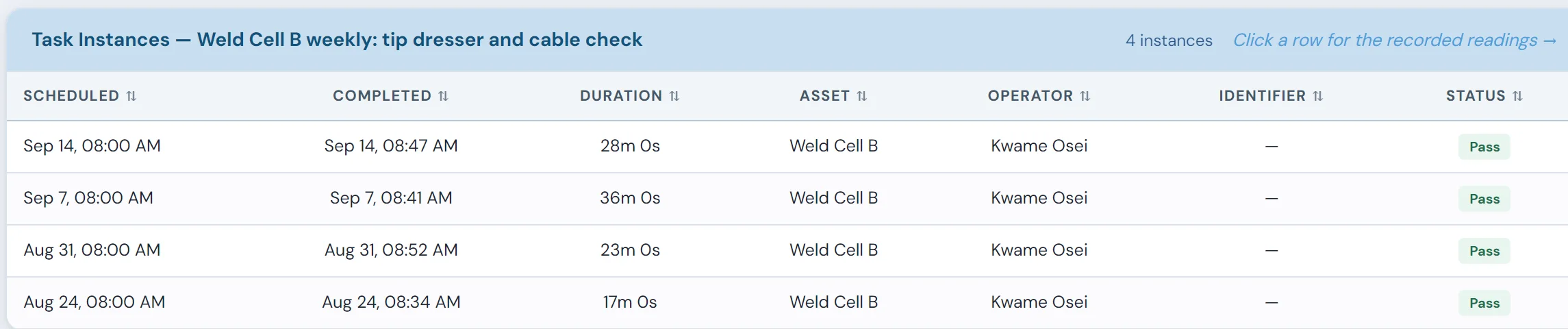
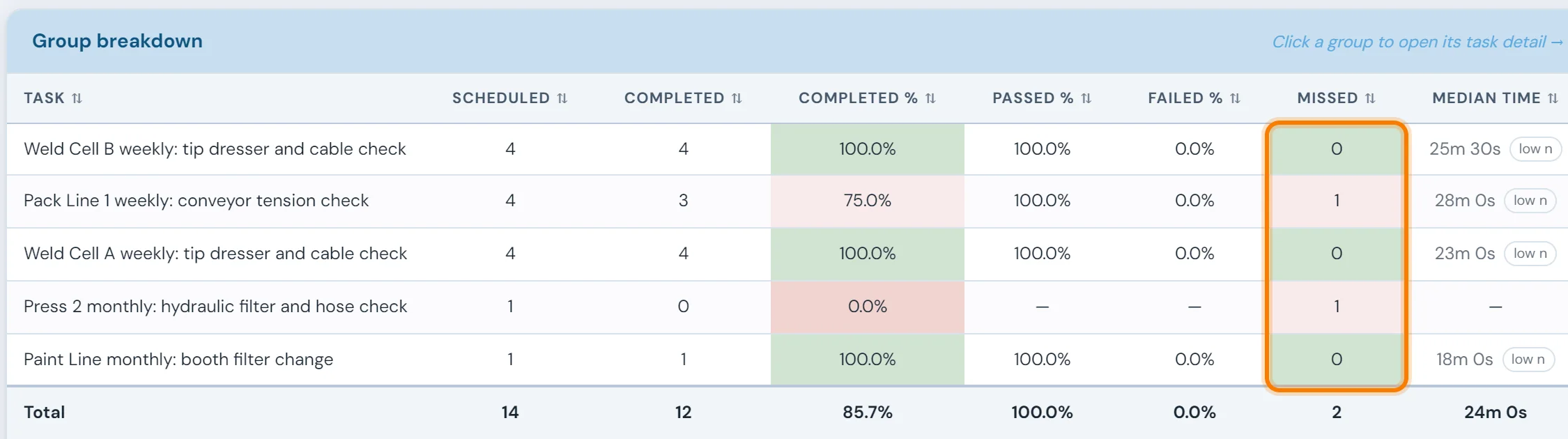
A check that passes its due date moves to the overdue list on the board. Each area's completion and on-time rates update as checks close, alongside the workload still to come.
The same check, done the same way on days and nights
Fewer skipped steps, fewer avoidable breakdowns
Every technician works from the same steps and photos, so the gearbox check done on nights matches the one done on days. When a step turns up a problem, the check can generate a work order for the repair, and the finding gets followed up after the check is signed off.
Measuring PM compliance honestly
"Did the PMs get done?" and "Did they get done on time?" are different questions. One month, 120 scheduled checks, with each check due within a set window around its date. Illustrative numbers.
| Measure | Calculation | Result | What it tells you |
|---|---|---|---|
| Completion | 102 done ÷ 120 scheduled | 85% | How much of the plan happened at all |
| On-time compliance | 91 done inside the window ÷ 120 scheduled | 76% | How much happened when it was supposed to, the number that protects the machine |
| Missed | 18 not done | 15% | Where to look first: which area, which check type, which week |
What usually shows up: the missed checks cluster. It might be one area that loses its technician to breakdowns on busy weeks, or long monthly checks that keep getting pushed. A common target is 90% or better on-time compliance. The way there is usually shorter, clearer checklists and protected time, not more reminders.
What a good digital checklist has
- Steps in the order the technician walks the machine
- A value or pass/fail for each step, not one "done" box
- Reference photos where the step is easy to get wrong
- Parts used, recorded in the same place
- A way to raise a problem found during the check
Signs your PM plan needs work
- Compliance is high but the same machines keep breaking. The checks don't cover the failure modes (see MTBF by machine)
- Checks are routinely signed off in a few seconds
- Nobody can say why a task is on the list
What a completed PM check feeds
Digital Maintenance Checks — FAQ
- How do you measure PM compliance?
- Divide the preventive maintenance checks completed within their due window by the checks scheduled in the period. If 91 of 120 scheduled checks were done on time, on-time compliance is 76%, even if 102 were eventually completed. Track both numbers, and look at missed checks by area and check type to see where the program is slipping.
- What types of equipment or tasks can be set up as a maintenance check?
- Any recurring maintenance task can be set up as a check: lubrication rounds, filter inspections, belt tension checks, fluid top-ups, safety inspections, cleaning schedules, and more. If your team does it on a schedule, it can be configured as a digital PM check.
- Can we set different schedules for different check types?
- Yes. Each check type has its own schedule: daily, weekly, monthly, quarterly, annually, or a fully custom interval. A daily lubrication check and a quarterly gearbox inspection can both run on their own independent schedule.
- How do technicians access and complete their assigned checks?
- Technicians see their open, upcoming, and in-progress checks when they log in. Each check walks them through the step-by-step task list, including any reference photos or instructions attached to the check. They complete each step directly on the device at the machine.
- What happens if a check is not completed on time?
- The check is flagged as overdue to both the technician and their supervisor, and it counts against on-time performance for its area and check type. Late or missed work shows up the day it goes late, rather than at the next paper log review.
- Can parts usage be recorded during a PM check?
- Yes. When Maintenance Inventory is deployed, technicians can consume parts directly through a PM check. This keeps inventory levels accurate without a separate transaction and builds a history of what was used on each check.
- Can management see completion and on-time performance at a glance?
- Yes. The management dashboard shows completion rates, overdue checks, on-time performance and upcoming workload, broken down by check type and area. It updates as technicians complete checks, so supervisors can see where the PM program stands at any point in the week.
Set up around how your plant runs
Standardized platforms expect the plant to change to fit the software. Do-it-yourself platforms leave your team to build and maintain everything. With 10in6, we configure the system around your equipment, codes and reports, and your team runs it day to day.
Your equipment, codes and reports
Andon calls routed by call type to the technicians on your crew, following the escalation each shift uses.
Your team runs it day to day
Operators, downtime and scrap codes, products and targets, shift schedules, checks, alerts, emailed reports and real-time boards are managed by your own people. Everyday changes need no support ticket and no invoice.
A project manager for the bigger things
New machines, new modules and custom reports go through a 10in6 project manager who already knows your deployment, so nothing starts from scratch. If you would rather we made everyday changes too, we can.
Still here years later
The system keeps being refined after go-live, and new capabilities are added without rebuilding it. Some of our customer relationships have run for 12 years, and 97% of customers say they would never go back.
“[Our 10in6 project manager] has been great to work with. He is very responsive, quick to help and provides solutions, whether we have random questions, new requirements or the rare times we have system issues.”
How the 10in6 delivery model works →
Move your PM checklists onto the screen
Tell us which checks your technicians run and how often. We'll work out how they'd be scheduled, guided step by step and tracked to completion.