
Keep the Floor Aligned to the Current Schedule
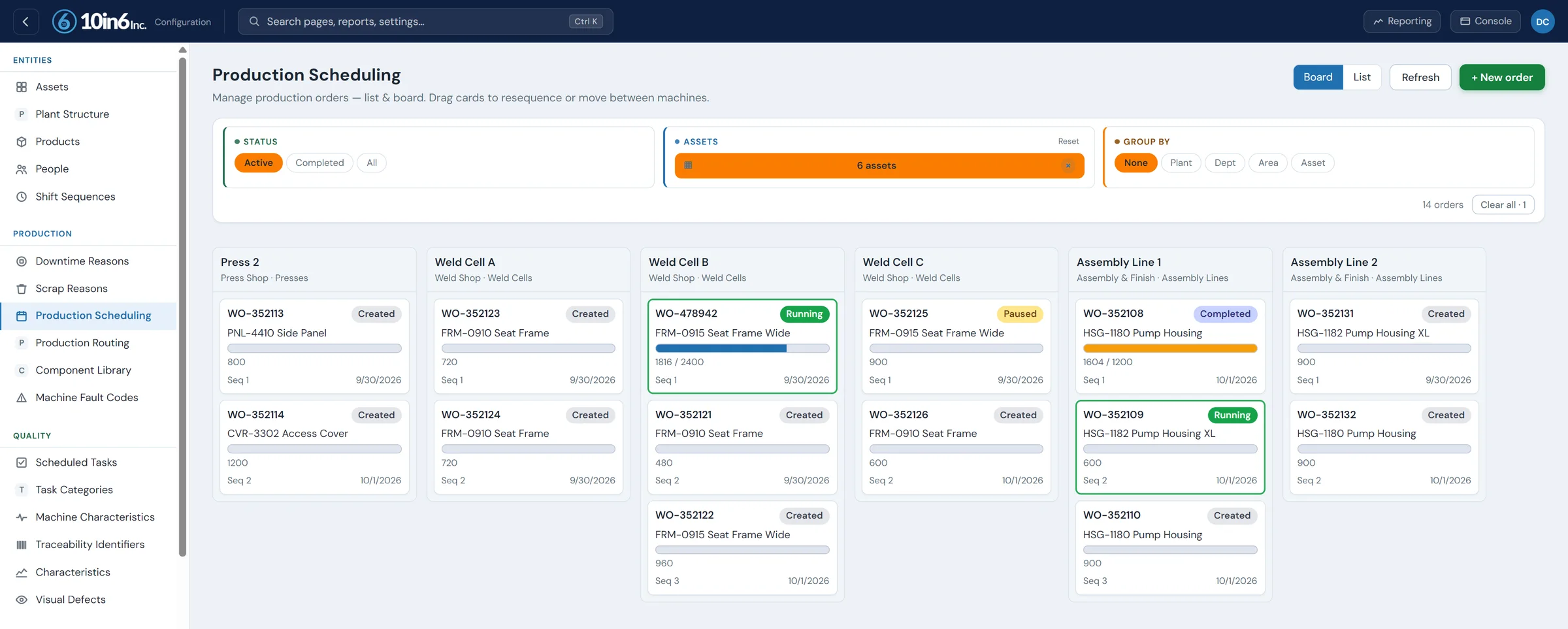
The production schedule on every operator console, in the order the jobs should run, updated the moment the planner changes it.
Each order's progress is tracked as it runs, so the planner can see how the floor is doing against the plan.
The schedule printed at 6 a.m. is out of date by first break
The planner prints the day's job sequence before the shift starts. At 8:30 a customer order moves up and another job is held for material. The planner updates the spreadsheet, but Line 2 is still running from the printout, and the operator on Line 4 hears about the change when the supervisor next comes by.
The supervisor spends the morning walking the floor to explain changes, and the scheduler spends it pushing updates by hand instead of managing the schedule. Operators can't see what is coming next, so changeovers start late. The risk is running the wrong order, missing a priority, and shipping late.
The current plan at the line, and progress back to the planner
The schedule is delivered directly to the floor
10in6 sends the production schedule to operator consoles and to anyone else in the plant who needs it, so nobody works from a printout or a verbal update.
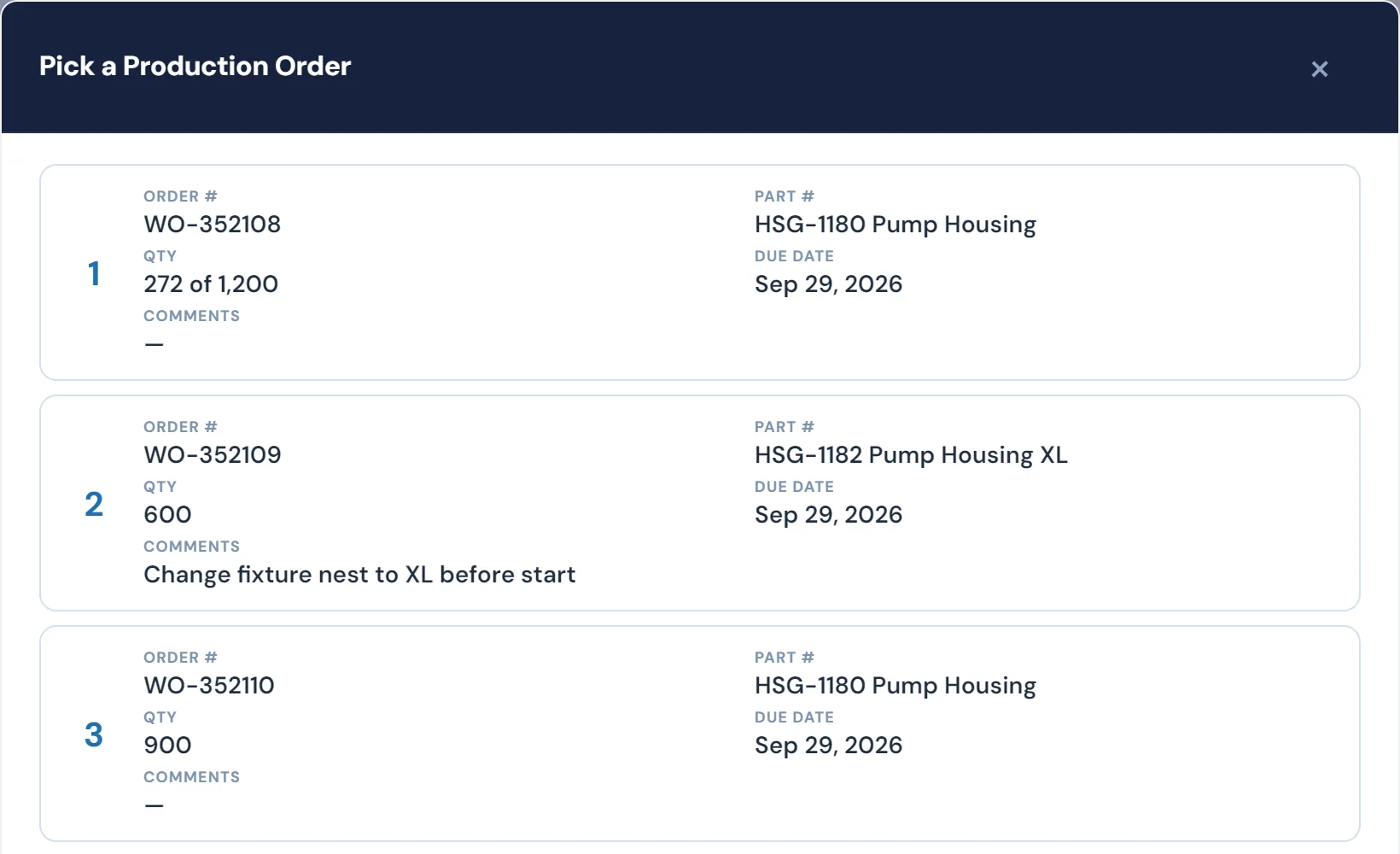
Each console shows the active order, its target rate and the jobs queued behind it.
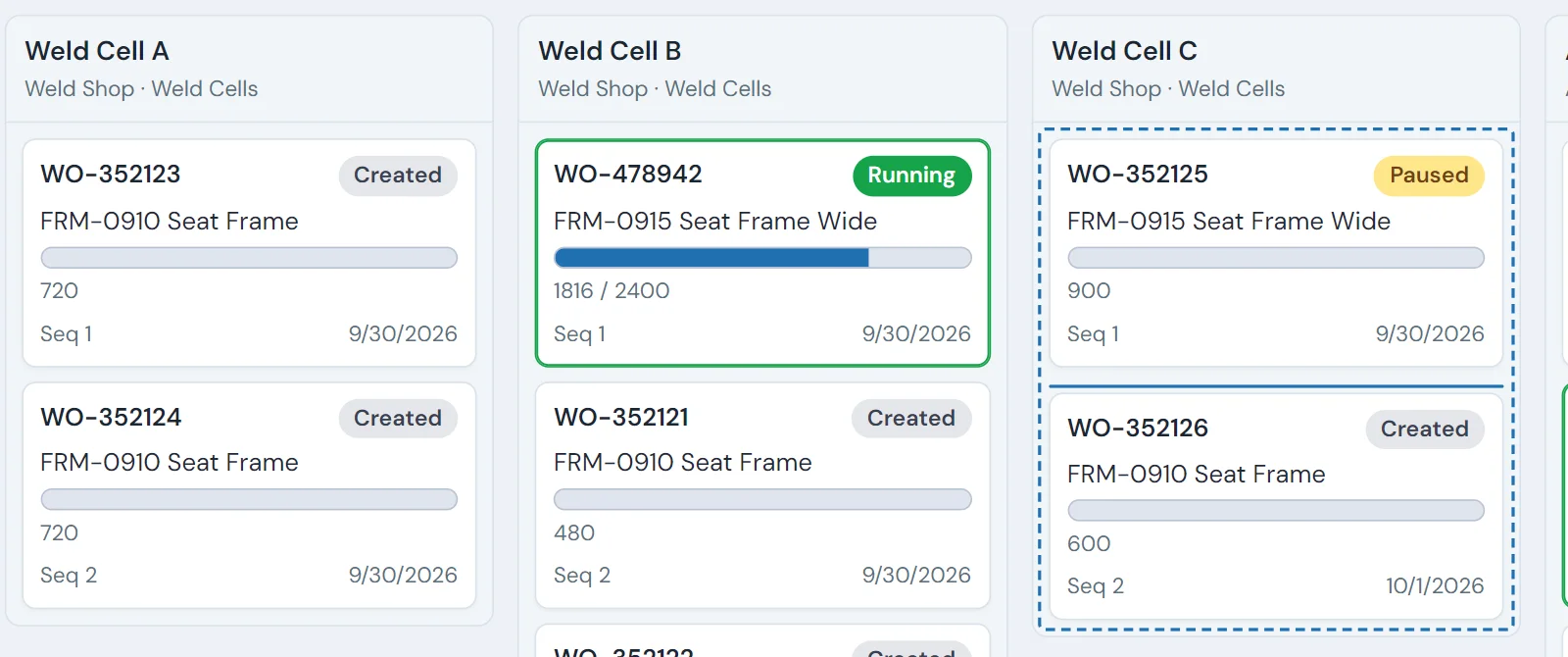
Changes reach the floor the moment they happen
When a priority changes, the supervisor or scheduler pushes the new order sequence and every console shows it at once. There is no paper to reissue, and every line is looking at the same plan.
Order progress is tracked as production runs
10in6 counts each order's output as it runs. Supervisors and schedulers can see which orders are done, which are behind, how long the current one has left and what follows it.
Job sequence is managed across lines and machines
The module also supports job sequencing and prioritization across machines, lines and linked processes.
Sequence matters when one operation feeds another, when running similar parts back to back saves a changeover, or when a delivery date depends on it. The sequence lives in the system, so it doesn't depend on a supervisor remembering it.
ERP and machine workflows can be connected
When integrated, 10in6 can download schedules from your ERP and upload production results back to it. In some environments the scheduled order can also send a recipe to the machine or bring up setup guidance for the changeover.
What 10in6 records for every order
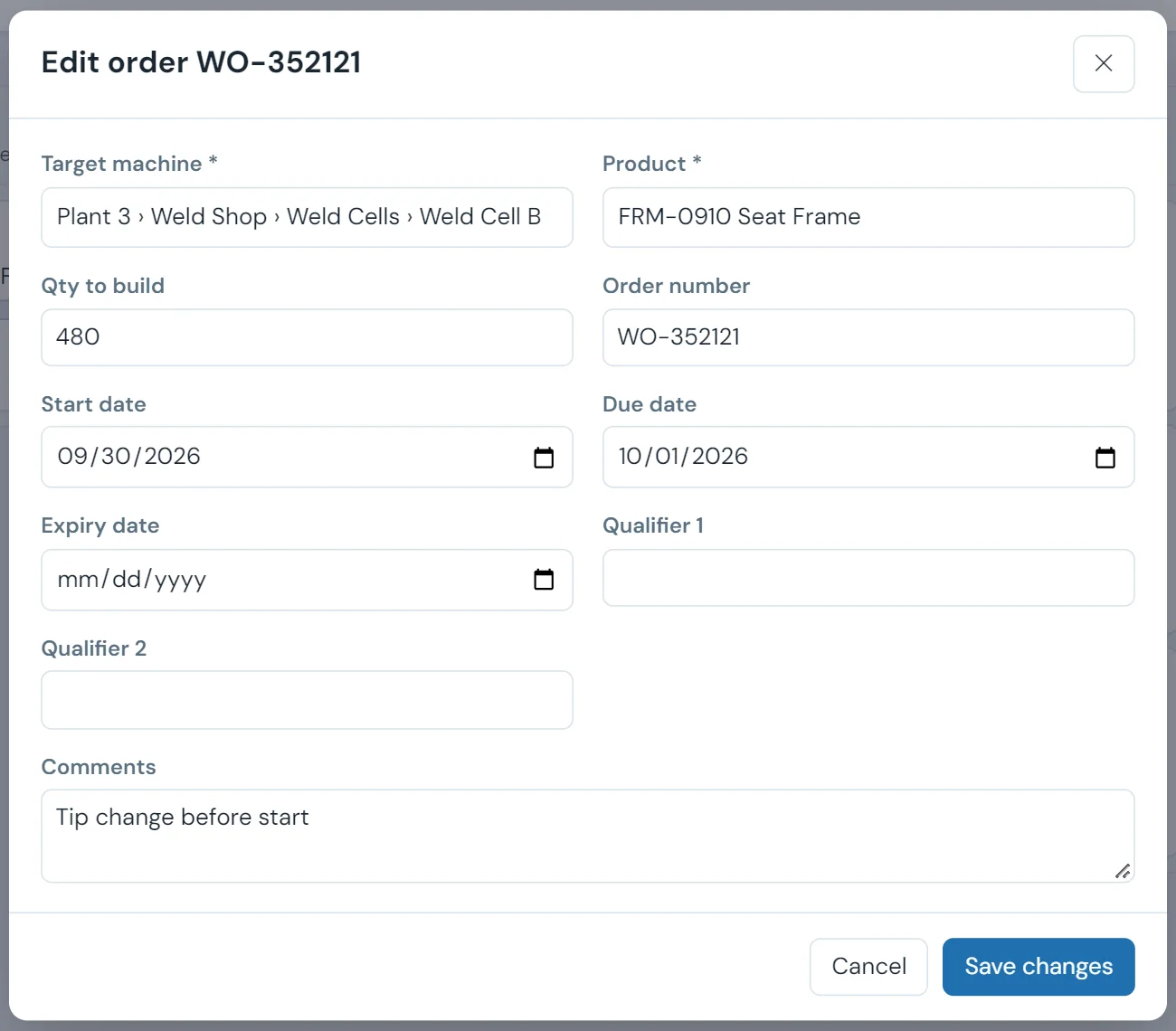
Alongside the live queue at each console, each order keeps a record the planner can come back to:
- Start time, run time and changeover time
- Target quantity and actual quantity
- Status changes through the shift
- Where it sat in the schedule, tied to the production that ran
Modules that use the schedule
Digital Schedule Delivery questions
- How do you measure schedule adherence?
- Compare what was produced with what was scheduled for the same period: the share of scheduled jobs, or quantity, completed in their planned window. A plant can hit its daily total and still have poor adherence if it ran the easy jobs first. Tracking order progress against the schedule in real time shows the slip while it can still be recovered.
- Can 10in6 replace printed production schedules?
- Yes. Operators and supervisors see the current production schedule on screen at the line, so there is no printed copy to keep up to date.
- Can schedule changes be pushed to the floor in real time?
- Yes. When the schedule is updated, the new version appears on the floor straight away, with nothing to reprint or hand out.
- Can operators see upcoming orders?
- Yes. Operators can see the current active order and, in many deployments, upcoming work orders in sequence directly within the workflow.
- Can this integrate with our ERP?
- Yes. 10in6 can integrate with ERP systems for schedule download and production upload, with the specific approach confirmed during the deployment.
- Can we sequence jobs across more than one machine or line?
- Yes. The module can support job sequencing and prioritization across multiple machines, lines, and related processes.
- Can schedule execution be tracked in real time?
- Yes. The system tracks order progress in real time so teams can see how production is moving against the current schedule.
- Can this support recipe download to machines?
- In some environments, yes. Scheduled orders can be tied to recipe or setup-related workflows to help guide changeovers and machine preparation.
Set up around how your plant runs
Standardized platforms expect the plant to change to fit the software. Do-it-yourself platforms leave your team to build and maintain everything. With 10in6, we configure the system around your equipment, codes and reports, and your team runs it day to day.
Your equipment, codes and reports
Your shift structure, part numbers and targets, and the report your morning meeting runs on, built from live production data.
Your team runs it day to day
Operators, downtime and scrap codes, products and targets, shift schedules, checks, alerts, emailed reports and real-time boards are managed by your own people. Everyday changes need no support ticket and no invoice.
A project manager for the bigger things
New machines, new modules and custom reports go through a 10in6 project manager who already knows your deployment, so nothing starts from scratch. If you would rather we made everyday changes too, we can.
Still here years later
The system keeps being refined after go-live, and new capabilities are added without rebuilding it. Some of our customer relationships have run for 12 years, and 97% of customers say they would never go back.
“[Our 10in6 project manager] is very quick to respond if we have questions or issues. He has helped us get the information we want out of 10in6, sharing standard reports we didn’t know about, or making adjustments when needed.”
How the 10in6 delivery model works →
Put the schedule on every console.
We'll show you your own schedule on an operator console, with the job sequence coming from your ERP.