
Every Maintenance Request — Assigned, Tracked, Completed, Recorded
Replace verbal requests, paper slips, and spreadsheet follow-up with digital work orders that give your team clear ownership, better visibility, and a complete maintenance history tied to the equipment.
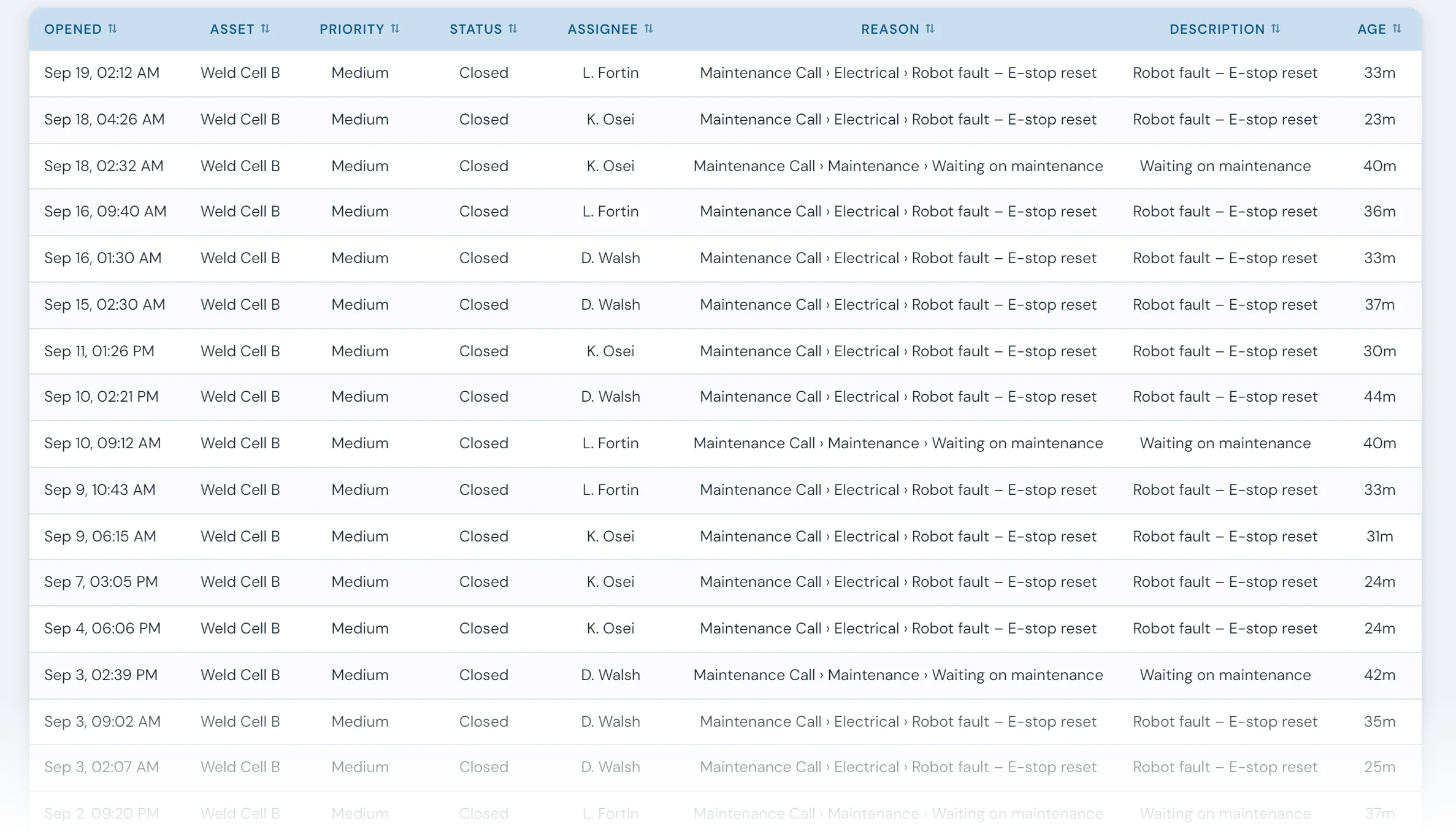
Writing the work order is easy. Following it through is where it breaks down.
When a machine goes down, maintenance usually hears about it in person, fixes it and moves on. The repair gets done and the record often doesn't, so when the same failure is back a month later, nobody can say what was tried last time or how long it took.
When maintenance requests are passed along verbally, tracked in spreadsheets, or managed through disconnected notes and emails, the plant loses visibility into:
- who owns the issue
- when it was assigned
- how long it took to respond
- how long it took to resolve
- what work was completed
- whether the same problem keeps coming back
In 10in6, every maintenance job becomes a work order with an owner, a due date and a closing record, tied to the machine it was done on.
How 10in6 Maintenance Work Orders works
Work orders reach maintenance three ways. A maintenance andon call or a machine stop on a connected line can open one automatically, with the machine and the problem already filled in. An operator or supervisor can raise one from the line or the office. And scheduled maintenance creates its own when it falls due.
However it starts, each one moves through the same five steps:
Each step is recorded with who did it and when, so response times, repair times and the service history of every machine build up as work orders close.
What you can manage
Created, assigned and owned
Every job has one owner at a time. When it changes hands, the handover is on the record, and anyone can see what stage the job has reached.
Open, overdue and done
One view of open, overdue and completed work, so a job doesn't wait on someone remembering it.
Response and resolution timing
How long each job took to acknowledge, reach and close, and whether that is getting faster over time.
History by machine, including repeat problems
Every job builds the service history of the machine it was done on, so the problems that keep coming back to the same equipment show up in the record.
Connected to the rest of the platform
Work order questions
- What should a maintenance work order include?
- The machine or asset, the problem or task, who requested it and when, priority, the assigned technician, the due date, what was found and done, parts used, time spent, and when the machine was back in service. The last four are what make the history useful for spotting repeat failures and calculating repair times.
- What can trigger a work order in 10in6?
- A work order can be created from a machine breakdown, operator call, supervisor request, scheduled maintenance activity, or other configured workflow — including automatic triggers from connected floor events.
- Can work orders be assigned to specific owners?
- Yes. Work orders can be assigned to an individual technician or maintenance team and reassigned as ownership or responsibility changes. The assignment history is recorded with the work order.
- Can we track due dates and completion status?
- Yes. The system is designed to track actions, deadlines, and completion status so work does not get lost in informal handoffs or spreadsheet rows.
- Can this help identify recurring equipment issues?
- Yes. Because work is tied to the equipment record, historical reporting can show how often the same issue is being handled again and where repetitive maintenance problems are concentrated.
- Does this connect to downtime events?
- Yes. When Work Orders is used alongside connected MES workflows, downtime events can support maintenance follow-up and work order creation so production and maintenance records stay aligned.
- Who is this useful for?
- Work Orders is useful for maintenance technicians, supervisors, plant managers, and operations leaders who need visibility into open work, response timing, and recurring maintenance issues — not just maintenance managers.
Set up around how your plant runs
Standardized platforms expect the plant to change to fit the software. Do-it-yourself platforms leave your team to build and maintain everything. With 10in6, we configure the system around your equipment, codes and reports, and your team runs it day to day.
Your equipment, codes and reports
Andon calls routed by call type to the technicians on your crew, following the escalation each shift uses.
Your team runs it day to day
Operators, downtime and scrap codes, products and targets, shift schedules, checks, alerts, emailed reports and real-time boards are managed by your own people. Everyday changes need no support ticket and no invoice.
A project manager for the bigger things
New machines, new modules and custom reports go through a 10in6 project manager who already knows your deployment, so nothing starts from scratch. If you would rather we made everyday changes too, we can.
Still here years later
The system keeps being refined after go-live, and new capabilities are added without rebuilding it. Some of our customer relationships have run for 12 years, and 97% of customers say they would never go back.
“[Our 10in6 project manager] has been great to work with. He is very responsive, quick to help and provides solutions, whether we have random questions, new requirements or the rare times we have system issues.”
How the 10in6 delivery model works →
Stop managing maintenance work from memory and spreadsheets.
Tell us how work is assigned and closed out today. We'll work out how work orders would run for your crew, with a history you can search by machine.